
Fillable Online Pay Stub Template For Simplified Payroll
Welcome to OneTwoPay, your online pay stub generator featuring a user-friendly digital pay stub template for you to fill out and generate professional pay stubs in minutes.
OneTwoPay’s Digital Pay Stub Template
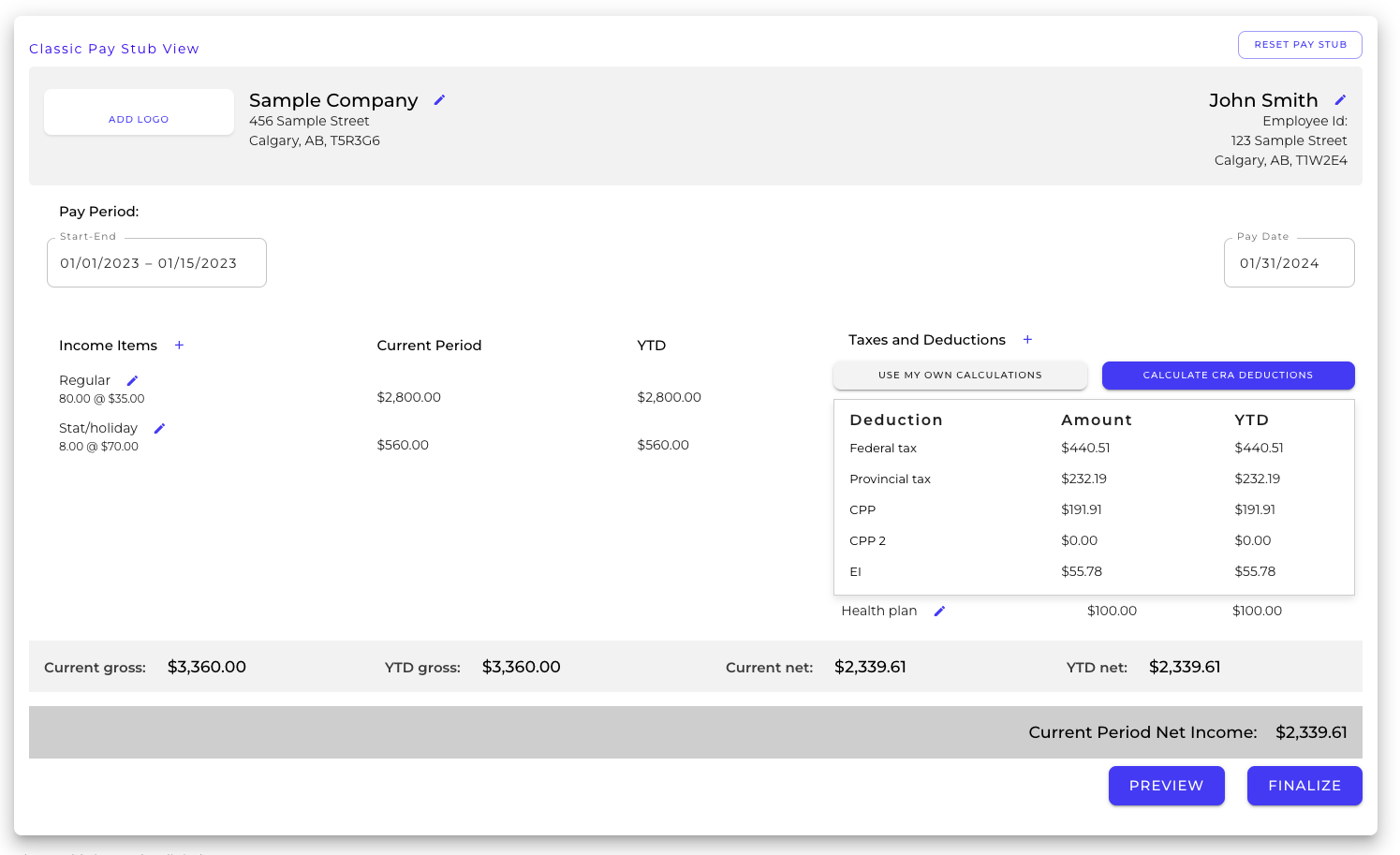
If you’re searching for a simple template for pay stubs online, you’ve likely come across basic documents requiring manual calculations. These documents also leave you in charge of storing and organizing all of your employee documents and data. While pay stub templates in document form may seem like the easiest approach, they’re vulnerable to human error, easy to misplace, and far too tedious for the digital age.
We offer a better digital alternative. Our online pay stub generator provides everything you need, with added benefits like secure data storage, customizable income and deduction options, and accurate CRA calculations. You can save time and avoid errors by letting us handle the math for you.
Our two goals at OneTwoPay are to keep it simple and keep it affordable. Our platform offers an easy-to-use pay stub template that you can use by simply paying as you go or becoming a monthly or annual OneTwoPay member. Beyond pay stubs, you get access to a whole suite of payroll reports, including remittance summaries, T4s and T4As, T4 Summaries, and Records of Employment. But let’s focus on the pay stubs for now. You’ll begin by using the online pay stub template to make your first pay stub.
Employee Information
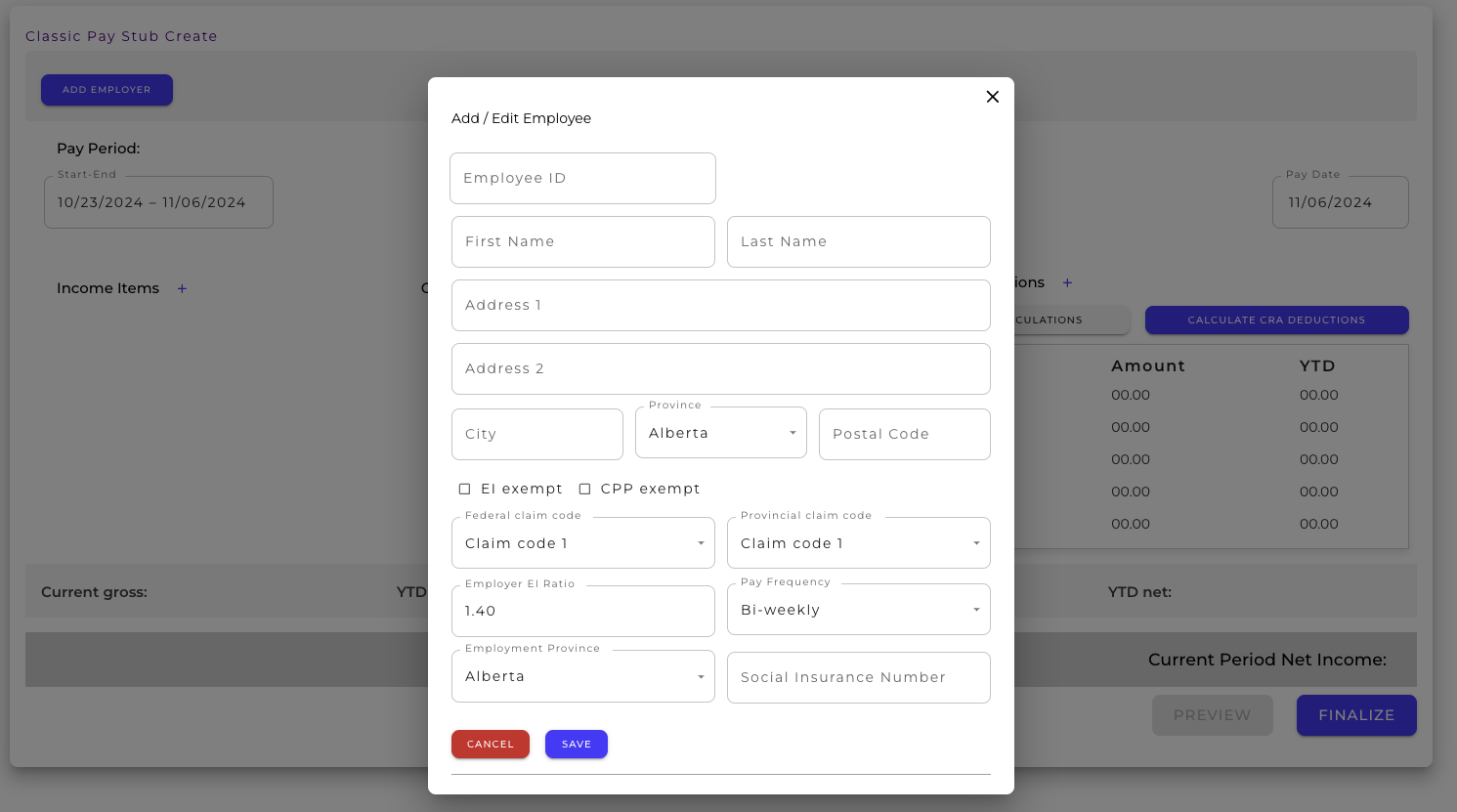
You’ll first be prompted to enter your employee information into the employee pay stub template. Social insurance number is optional. You don’t need it until you generate T4s, T4As and / or ROE reports.
Employer Information
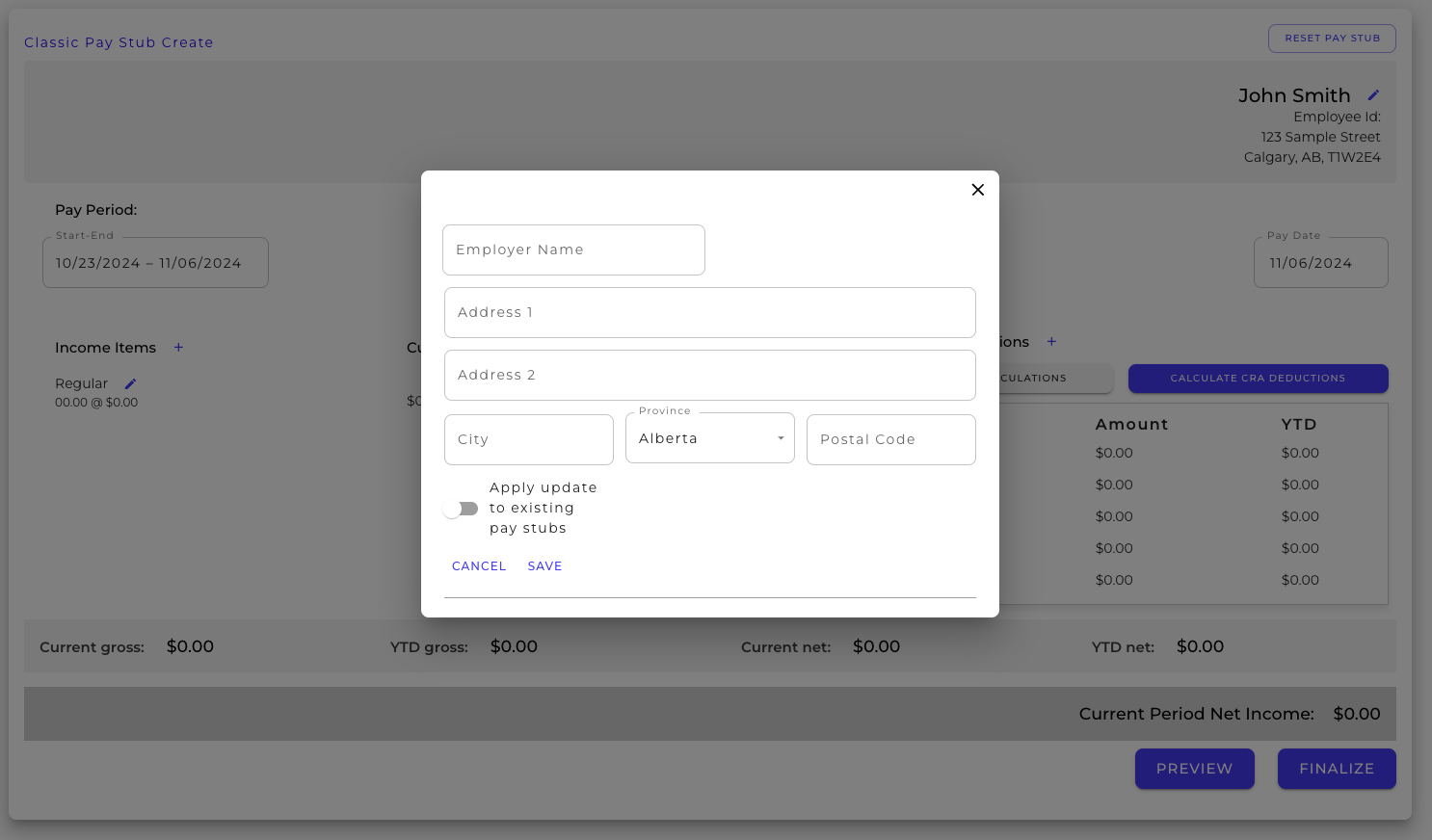
Next, you’ll enter your employer information. If you’re making pay stubs for multiple employers, OneTwoPay offers the ability to add multiple employers on the same account/subscription.
Dates
Your next step is to enter the pay period start and end dates and the pay date. OneTwoPay will automatically generate estimated start and end dates and the pay date to help you out. Be sure to double-check that they match your records.
Income Items
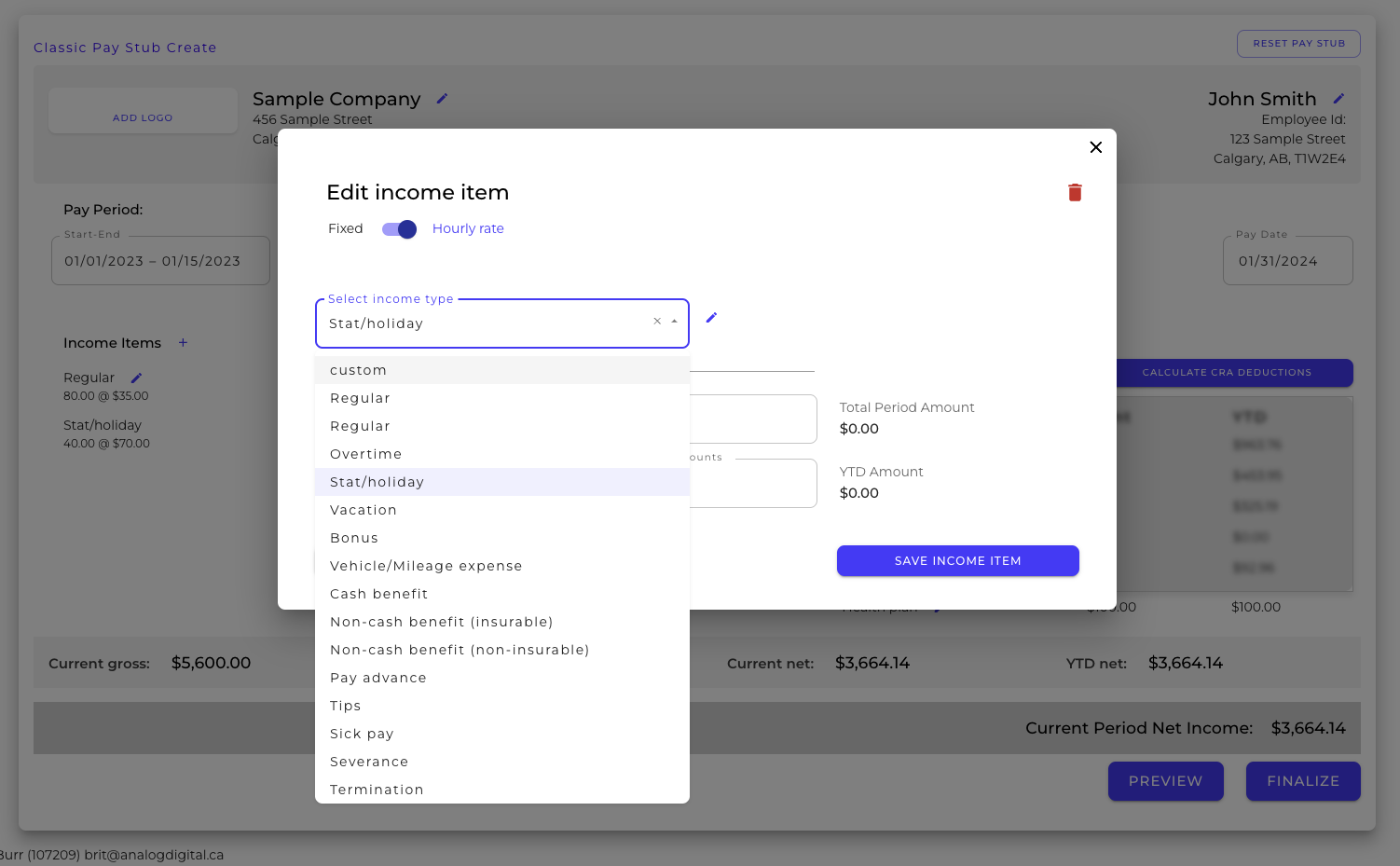
When adding your income items, the OneTwoPay pay stub template allows you to add additional income types and even customize income types to represent your unique payroll. Begin by adding the regular income for this pay period. You’ll also add prior period amounts here if this isn’t the first pay stub for this employee for the year. Add additional income types as needed, select from a list of existing types or add your own. Once all of your income items are added, you’ll move on to your taxes and deductions.
Taxes & Deductions
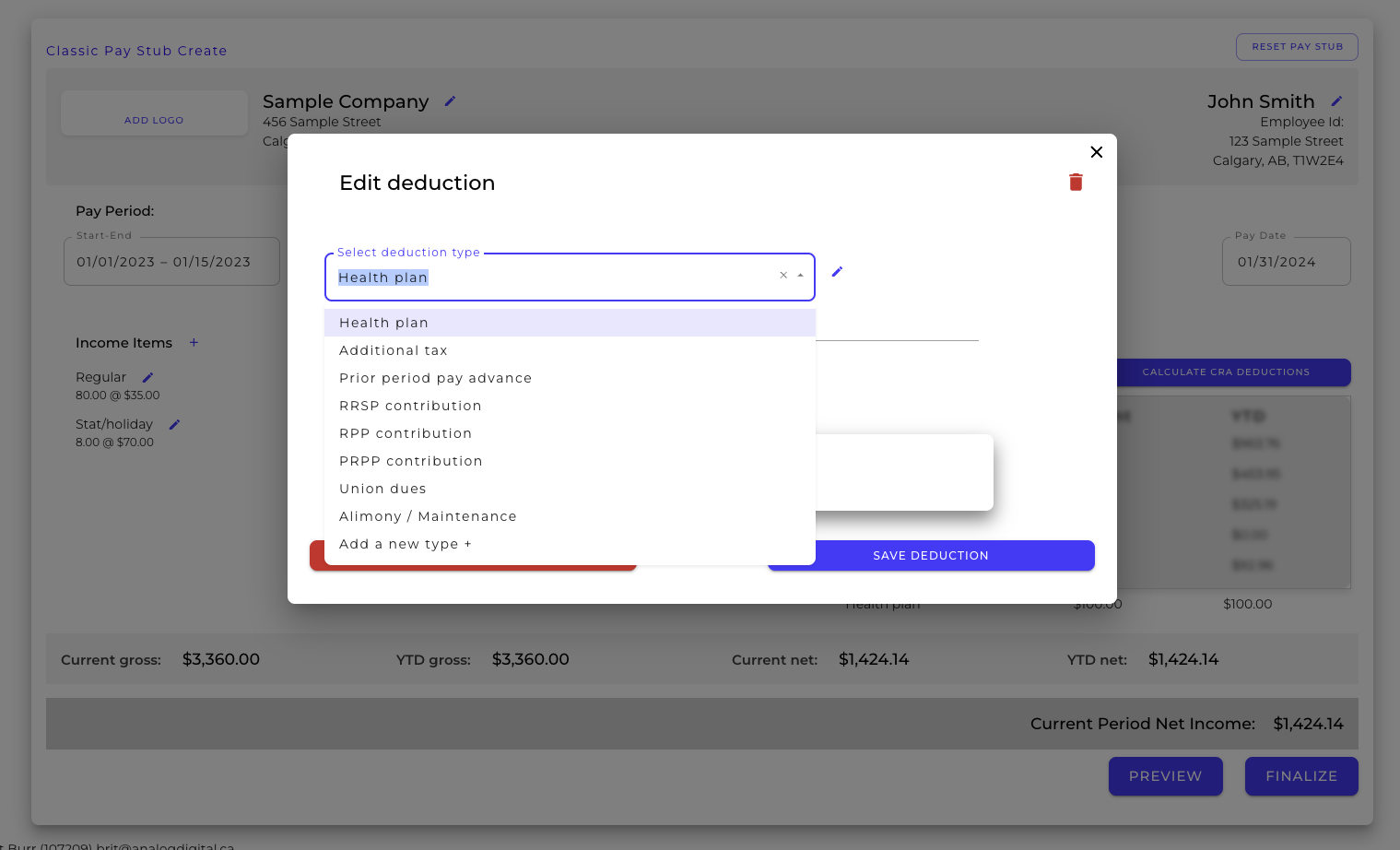
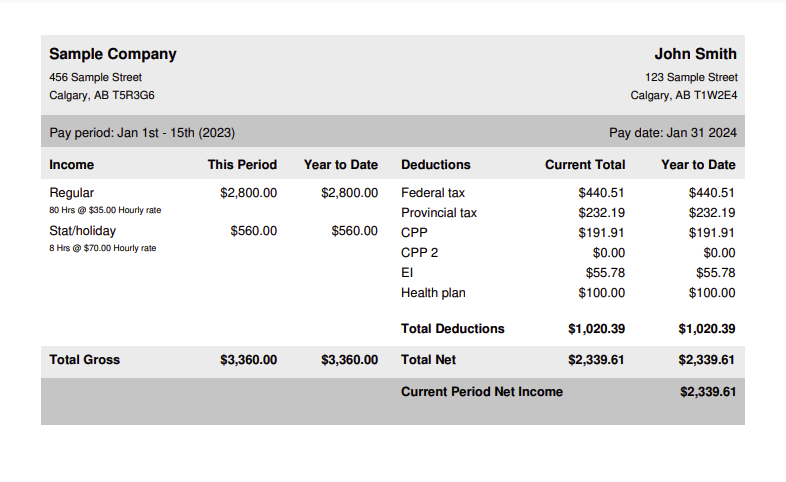
Click either “calculate CRA deductions” to use the CRA calculator or click “use my own deductions” if you’d like to calculate them yourself. You have the option to add additional deductions, either from the list OneTwoPay provides or by entering a custom deduction type. Once your custom deductions are added, calculate them and review all of the information on your pay stub. If everything looks good and matches your payroll, preview and then finalize your pay stub.
Beyond the Pay Stub Templates
If you’re looking for more payroll reports beyond pay stubs, OneTwoPay offers remittance summaries, T4s and T4As, T4 Summaries, and Records of Employment. All of these reports are easily generated from your employees’ past pay stub data. So, the entire process begins with using our simple pay stub template, and it only gets easier and more efficient as you go.
Get started today by making your first pay stub on OneTwoPay.
- 1 (800) 837-8793
- support@onetwopay.ca